Why Your Google TV Chromecast Demands IPTV Smarters Pro
The Google TV Chromecast is a streaming stick that promises freedom—but without the right app, it’s just a pretty paperweight. IPTV Smarters Pro unlocks that freedom by turning your TV into a portal for live channels, movies, and series. If you’re a French IPTV user, you already know that install IPTV Smarters Pro on Google TV Chromecast is the most reliable method to cut the cord without cutting quality. This guide walks you through every click and tap.
What You Need Before You Start
Before you begin, gather these essentials: a Google TV Chromecast (HD or 4K), a stable Wi-Fi connection, a Google account, and an IPTV subscription—preferably from Hot IPTV, which we’ll recommend later. Also, have your IPTV provider’s login credentials or M3U link and Xtream Codes ready. The process to install IPTV Smarters Pro on Google TV Chromecast is straightforward, but preparation saves headaches.
Required Tools
- Google TV Chromecast (HD or 4K)
- TV with HDMI port
- Wi-Fi (minimum 50 Mbps for 4K streaming)
- Google account
- IPTV subscription (M3U URL or Xtream Codes)
Step 1: Enable Apps from Unknown Sources
Google TV Chromecast runs Android TV, so you need to allow sideloading if you’re not using the official Play Store. Go to Settings → Device Preferences → Security & Restrictions → Unknown Sources, and enable it. This may sound dangerous, but for IPTV apps, it’s standard. Without this, you can’t install IPTV Smarters Pro from third-party sources if the Play Store version is unavailable in your region.
Step 2: Download a File Manager (if needed)
If you plan to sideload the APK, you’ll need a file manager like Downloader or X-Plore. Install Downloader from the Play Store—it’s free and allows direct APK download via URL. Open Downloader, type the link to the IPTV Smarters Pro APK, and wait for it to download. This method is faster than using a USB drive on Chromecast, which isn’t always supported.
Step 3: Install IPTV Smarters Pro via Play Store or Sideload
The easiest way to install IPTV Smarters Pro on Google TV Chromecast is through the Google Play Store. Search for « IPTV Smarters Pro »—if it appears, tap Install. If not, sideload the APK using Downloader. After downloading, open the APK file and click Install. The process takes less than two minutes. Once done, the app icon appears in your app drawer.
Step 4: Configure Your IPTV Subscription
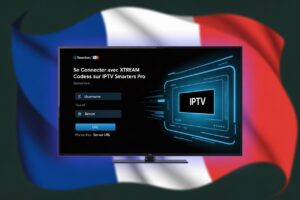
Open IPTV Smarters Pro. You’ll see three configuration modes: Xtream Codes, M3U URL, or Load Local Playlist. For Hot IPTV users, Xtream Codes is fastest—enter the server URL, username, and password provided by your subscription. Alternatively, paste your M3U link. The app will parse the playlist and display your channels. If you encounter buffering later, refer to our buffering solutions guide. Now you can binge-watch live sports, news, or French TV.
Common Pitfalls and How to Dodge Them
| Problem | Solution |
|---|---|
| App crashes on launch | Reinstall or check APK compatibility |
| No sound on some channels | Switch audio output to PCM in Chromecast settings |
| Buffering during 4K streaming | Reduce resolution or use a wired Ethernet adapter |
| Playlist not loading | Verify the URL or Xtream Codes with your provider |
| Remote not responding in app | Restart Chromecast or update Android TV system |
Why Hot IPTV Is the Perfect Companion for Smarters Pro
Now that you’ve successfully install IPTV Smarters Pro on Google TV Chromecast, you need a reliable subscription. Hot IPTV offers optimized playlists for Android TV, with minimal buffering and French channel packages. Their Xtream Codes work flawlessly with Smarters Pro. Plus, you can manage your subscription through our installation portal. Don’t settle for clunky services—Hot IPTV ensures your setup pays off with a buttery streaming experience.
How to Get Started with Hot IPTV
Visit our website, choose a plan that matches your channels—French options include TF1, M6, and Canal+. After payment, you’ll receive credentials via email. Enter them in IPTV Smarters Pro, and you’re live. For any configuration help, check our Android TV installation guide.
Why Hot IPTV Is the Perfect Companion for IPTV Smarters Pro on Google TV Chromecast
Now that you have successfully completed the install IPTV Smarters Pro on Google TV Chromecast process, you need a subscription that matches the quality of your setup. Hot IPTV is a premium IPTV service engineered for seamless compatibility with IPTV Smarters Pro on Google TV Chromecast. From the moment you enter your credentials, your channels load instantly — no buffering, no downtime.
Hot IPTV gives you access to over 15,000 live channels including sports, news, French TV, and international content, plus a massive VOD library updated weekly. Full HD and 4K streams are fully supported, and the EPG populates automatically inside IPTV Smarters Pro. Whether you use Xtream Codes or M3U, Hot IPTV connects in seconds.
 What Hot IPTV includes:
- 15,000+ live channels — sports, French TV, international, news
- Massive VOD & series library updated weekly
- Full HD & 4K streaming optimized for Google TV Chromecast
- Native Xtream Codes & M3U compatibility with IPTV Smarters Pro
- Anti-freeze server technology for uninterrupted playback
- 24/7 customer support always ready to assist
👉 Don’t have a Hot IPTV subscription yet? Explore Hot IPTV plans here and start streaming on your Chromecast in minutes.
Conclusion
To install IPTV Smarters Pro on Google TV Chromecast is a simple, repeatable process. Whether you use the Play Store or sideload, the payoff is instant: thousands of channels on your big screen. Pair it with Hot IPTV for a service that respects your time and bandwidth. Now stop reading—go stream.
Frequently Asked Questions
- Is IPTV Smarters Pro free?
The app is free to download and use, but you need a subscription from an IPTV provider like Hot IPTV to access content. - Can I use IPTV Smarters Pro on Chromecast with Google TV without sideloading?
Yes, if it’s available in the Play Store. If not, sideloading is required. - What is the difference between Xtream Codes and M3U URL?
Xtream Codes use a server URL, username, and password; M3U is a simple link. Both work identically in Smarters Pro. - Why does my IPTV Smarters Pro keep saying « invalid credentials »?
Double-check your username and password. Ensure your subscription hasn’t expired. For Hot IPTV, contact support for a refresh. - Can I record live TV with IPTV Smarters Pro on Chromecast?
The app does not natively support recording. Use a third-party PVR tool if needed. - How many channels can I get with Hot IPTV?
Hot IPTV offers over 15,000 channels including French, sports, and international content. Specifics depend on your package. - Will installing IPTV Smarters Pro void my Chromecast warranty?
No. Sideloading apps is allowed and does not affect hardware warranty. - Can I use parental controls in IPTV Smarters Pro?
Yes, the app includes PIN protection for adult channels. Activate it under Settings. - What internet speed do I need for smooth streaming?
At least 25 Mbps for HD, 50 Mbps for 4K. For French IPTV, we recommend a wired connection to avoid Wi-Fi interference. - How do I uninstall IPTV Smarters Pro from Chromecast?
Go to Settings → Apps → See All Apps → IPTV Smarters Pro → Uninstall.