Picture this: you’ve just subscribed to a premium IPTV service, your television is humming with anticipation, and you need an app that won’t fumble the handoff. Enter IPTV Smarters Pro — the player that has quietly become the Swiss Army knife of the streaming world. This IPTV Smarters Pro review dissects every corner of the application, from its silky EPG integration to its multi-screen wizardry, so you can decide with absolute clarity whether it deserves a permanent home on your device. And spoiler: when paired with Hot IPTV, the experience ascends to a different tier entirely.

What Exactly Is IPTV Smarters Pro?
IPTV Smarters Pro is a third-party media player designed to consume M3U playlists and Xtream Codes API streams on virtually any device you own — Android smartphones, Android TV boxes, Fire Stick, iOS, Windows PCs, and more. Unlike satellite dishes or cable boxes that tether you to a single socket in the wall, Smarters Pro is a software bridge: you bring the subscription, it builds the road. The application was developed by WHMCS Smarters and has accumulated millions of users globally, many of them in France, where IPTV adoption has surged dramatically.
IPTV Smarters Pro Review: Core Features Examined
1. Multi-Protocol Support
Smarters Pro speaks fluent M3U and equally fluent Xtream Codes, which means virtually every legitimate IPTV provider — including Hot IPTV — slots in without friction. You simply enter your server URL, username, and password, or paste your M3U link, and within seconds your channel list materialises like a conjurer’s trick. This dual-protocol architecture is not a minor convenience; it is the foundation that makes the app universally compatible.
2. Electronic Programme Guide (EPG) Integration
A streaming app without a proper EPG is like a cinema without a schedule board — technically functional but deeply frustrating. Smarters Pro pulls EPG data automatically from your provider, displaying it in a clean, colour-coded grid. You can see what is playing now, what comes next, and plan recordings accordingly. For French viewers who juggle TF1, M6, Canal+, and dozens of international channels simultaneously, this feature transforms passive watching into intentional viewing.
3. Catch-Up TV and Time-Shift
Missed the final minutes of a football match? Smarters Pro’s Catch-Up feature lets you rewind the broadcast timeline — provided your IPTV provider supports it. Hot IPTV’s Catch-Up library is robust enough that this feature becomes a daily habit rather than a novelty. Time-shift, the ability to pause and resume live television, operates with minimal latency when your connection is stable.
4. VOD Library Navigation
The Video on Demand section inside Smarters Pro is organised into categories with poster artwork, rating badges, and search functionality. Navigating thousands of films and series feels closer to browsing Netflix than scrolling a raw text list. The player supports multiple subtitle tracks and audio languages — a critical detail for the polyglot French household that watches content in English, Arabic, and Spanish alongside French originals.
5. Multi-Screen and Multi-Profile Support
Smarters Pro allows you to configure multiple IPTV profiles within a single installation. Each profile can point to a different provider or a different subscription tier, making it the ideal command centre for households with varied tastes. The external player integration — VLC, MX Player — offers an additional escape hatch when the built-in decoder encounters a stubborn stream format.
Interface Design and User Experience
The UI of IPTV Smarters Pro walks a deliberate tightrope between feature density and visual cleanliness. The home dashboard presents five tabs: Live TV, Movies, Series, Catch-Up, and Settings. Navigation is gesture-friendly on touchscreens and remote-friendly on Android TV boxes. Dark mode is active by default, which feels appropriate for evening viewing — the dominant use case. The channel list loads quickly, and the search bar is responsive enough to filter 10,000-channel libraries in under two seconds on mid-range hardware.
Performance and Streaming Quality
Raw streaming quality in Smarters Pro is determined by two variables: your internet connection and your IPTV provider’s infrastructure. The app itself introduces negligible overhead. On a 50 Mbps fibre connection — well within reach of most French urban households — 4K Ultra HD streams from Hot IPTV play without a single rebuffering event. On slower connections, the app does not offer adaptive bitrate switching natively, which is the one legitimate criticism worth noting. However, Hot IPTV’s server redundancy compensates admirably, keeping streams alive even during peak hours. For further troubleshooting tips, our guide on buffering IPTV — 7 simple solutions for smooth playback covers every scenario in detail.

Device Compatibility: Where Can You Run It?
| Device | Smarters Pro Compatible | Hot IPTV Optimised |
|---|---|---|
| Android Smartphone / Tablet | ✅ Yes | ✅ Yes |
| Android TV Box | ✅ Yes | ✅ Yes |
| Amazon Fire Stick | ✅ Yes (sideload) | ✅ Yes |
| iPhone / iPad (iOS) | ✅ Yes | ✅ Yes |
| Windows PC / Laptop | ✅ Yes | ✅ Yes |
| Samsung Smart TV (Tizen) | ⚠️ Limited (browser) | ✅ Hot Player available |
| LG Smart TV (webOS) | ⚠️ Limited (browser) | ✅ Hot Player available |
| Google TV / Chromecast | ✅ Yes | ✅ Yes |
As the table illustrates, Smarters Pro covers the vast majority of popular ecosystems. For Samsung and LG Smart TVs where Smarters Pro faces native OS restrictions, Hot IPTV’s own Hot Player fills the gap seamlessly. You can explore the full setup process in our guide on installing IPTV Smarters Pro on Samsung Smart TV.
Smarters Pro vs. The Competition: Honest Comparison
| Feature | IPTV Smarters Pro | TiviMate | XCIPTV |
|---|---|---|---|
| M3U Support | ✅ | ✅ | ✅ |
| Xtream Codes API | ✅ | ✅ | ✅ |
| iOS Support | ✅ | ❌ | ✅ |
| VOD Poster Art | ✅ | ✅ | ✅ |
| Catch-Up TV | ✅ | ✅ | ✅ |
| Multi-Profile | ✅ | ✅ (Premium) | ✅ |
| Free Version Available | ✅ | ✅ (limited) | ✅ |
| Windows PC Support | ✅ | ❌ | ❌ |
Smarters Pro’s cross-platform breadth — particularly its iOS and Windows support — gives it a structural advantage over rivals like TiviMate, which remains Android-exclusive. For a head-to-head analysis between the two heavyweights, our TiviMate vs IPTV Smarters comparison lays out every nuance with surgical precision.
Setting Up Smarters Pro with Hot IPTV
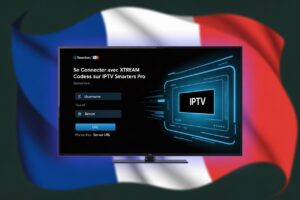
The configuration process is refreshingly short. After downloading Smarters Pro from your device’s app store, you tap Add New User and select either Xtream Codes API or M3U URL. Hot IPTV provides both formats instantly upon subscription. Enter your credentials, let the app synchronise your channel list and VOD library — which typically completes in under a minute — and you are live. The entire ritual from download to first channel takes fewer than five minutes, even for users who have never configured IPTV software before. Hot IPTV’s compatibility with Smarters Pro is not an afterthought; it is engineered deliberately, ensuring EPG data, Catch-Up flags, and VOD metadata all populate correctly without manual intervention.
Pricing: Is IPTV Smarters Pro Worth Paying For?
The base version of IPTV Smarters Pro is free, supported by occasional advertisements. A Pro upgrade — typically a one-time purchase under €5 — removes ads and unlocks parental controls, external player options, and enhanced subtitle management. Given the hours of daily utility the application delivers, the mathematics favour purchasing without hesitation. Compare that to any cable subscription in France, and the arithmetic becomes almost comedic in its lopsidedness.

Final Verdict
After this exhaustive IPTV Smarters Pro review, the verdict is unambiguous: Smarters Pro earns its reputation through genuine engineering rather than marketing noise. Its EPG implementation is clean, its VOD navigation is intuitive, its device coverage is the widest in the category, and its partnership with Hot IPTV produces a combined experience that is difficult to fault. The only asterisk — the absence of native adaptive bitrate — is a nuisance rather than a dealbreaker, and Hot IPTV’s server infrastructure largely neutralises it. If you are entering the world of IPTV or upgrading from a lesser player, Smarters Pro paired with Hot IPTV is the combination that sets the standard.
Start Streaming Smarter Today
Ready to put this IPTV Smarters Pro review into action? Subscribe to Hot IPTV today and experience the full power of Smarters Pro with a provider engineered to complement it perfectly. Whether you stream on Fire Stick, Android, iOS, or Windows, Hot IPTV ensures your signal is clean, your EPG is accurate, and your Catch-Up library is deep. Visit Hot IPTV now and claim your subscription — your television has been patient long enough.
Conclusion
IPTV Smarters Pro is not merely an app; it is an ecosystem connector that transforms a raw IPTV subscription into a polished, navigable entertainment platform. This detailed review has traced every Smarters Pro feature from EPG grids to multi-profile management, from Catch-Up mechanics to cross-device breadth. The conclusion is consistent across every metric: when you layer Hot IPTV’s premium infrastructure beneath Smarters Pro’s intuitive interface, the result is a streaming experience that competes with — and frequently surpasses — conventional broadcast television. The future of home entertainment in France is already here. You simply need the right tools to access it.
Frequently Asked Questions
1. Is IPTV Smarters Pro free to use?
Yes, IPTV Smarters Pro offers a free version with limited features and occasional advertisements. A paid Pro upgrade is available as a one-time purchase, typically under €5, which removes ads and unlocks advanced features including parental controls and external player support.
2. What is the difference between Smarters Pro and Smarters Lite?
Smarters Lite is a stripped-down version with fewer customisation options and limited profile management. Smarters Pro offers the full feature set: multi-profile support, Catch-Up TV, external player integration, and full EPG functionality. For a thorough breakdown, see our IPTV Smarters Pro vs Lite comparison.
3. Does IPTV Smarters Pro work on iPhone and iPad?
Absolutely. IPTV Smarters Pro is available on the Apple App Store and runs natively on iPhone and iPad running iOS 13 or later. This cross-platform availability is one of its defining competitive advantages over Android-only alternatives.
4. How do I add Hot IPTV to IPTV Smarters Pro?
Open Smarters Pro, tap Add New User, and select either Xtream Codes API or M3U URL. Enter the credentials provided by Hot IPTV upon subscription. The app synchronises your channel list, VOD library, and EPG data automatically within approximately one minute.
5. Can IPTV Smarters Pro handle 4K streams?
Yes, provided your internet connection delivers sufficient bandwidth — typically 25 Mbps or higher for stable 4K playback. The app itself does not cap resolution. Hot IPTV provides 4K streams where content is available, and Smarters Pro passes them through without compression.
6. Is there a multi-screen feature in Smarters Pro?
IPTV Smarters Pro supports multi-profile configurations, allowing different users or subscriptions within a single app installation. True simultaneous multi-stream viewing depends on your IPTV provider’s connection allowance. Hot IPTV offers multi-connection plans to facilitate this.
7. Does Smarters Pro support Catch-Up TV?
Yes, Catch-Up TV is supported natively within Smarters Pro, provided your IPTV provider flags channels as Catch-Up enabled. Hot IPTV’s Catch-Up library covers major French and international channels, making this feature practically useful on a daily basis.
8. What should I do if IPTV Smarters Pro is not loading channels?
First, verify your playlist credentials are correct. Second, check your internet connection. Third, clear the app’s cache and restart. Our comprehensive troubleshooting guide — IPTV Smarters Pro not working: complete fix guide — addresses every known error scenario step by step.
9. Can I use IPTV Smarters Pro on a Samsung Smart TV?
Native Tizen OS support for Smarters Pro is limited. The recommended approach for Samsung Smart TV users is to install it via a connected Android TV box or Fire Stick, or alternatively use Hot IPTV’s dedicated Hot Player, which is purpose-built for Smart TV environments.
10. How does IPTV Smarters Pro compare to TiviMate?
Both are excellent players, but they serve slightly different audiences. TiviMate excels on Android TV with a more polished remote-navigation interface, while Smarters Pro wins on cross-platform breadth, particularly its iOS and Windows support. Our TiviMate vs IPTV Smarters honest comparison explores every distinction in depth. For Hot IPTV users, both players are fully compatible, so the choice ultimately rests on your primary device ecosystem.